
Getting Started in Turbo Soccer
First launch through your first clean Casual match, without wasting boost or Robux.
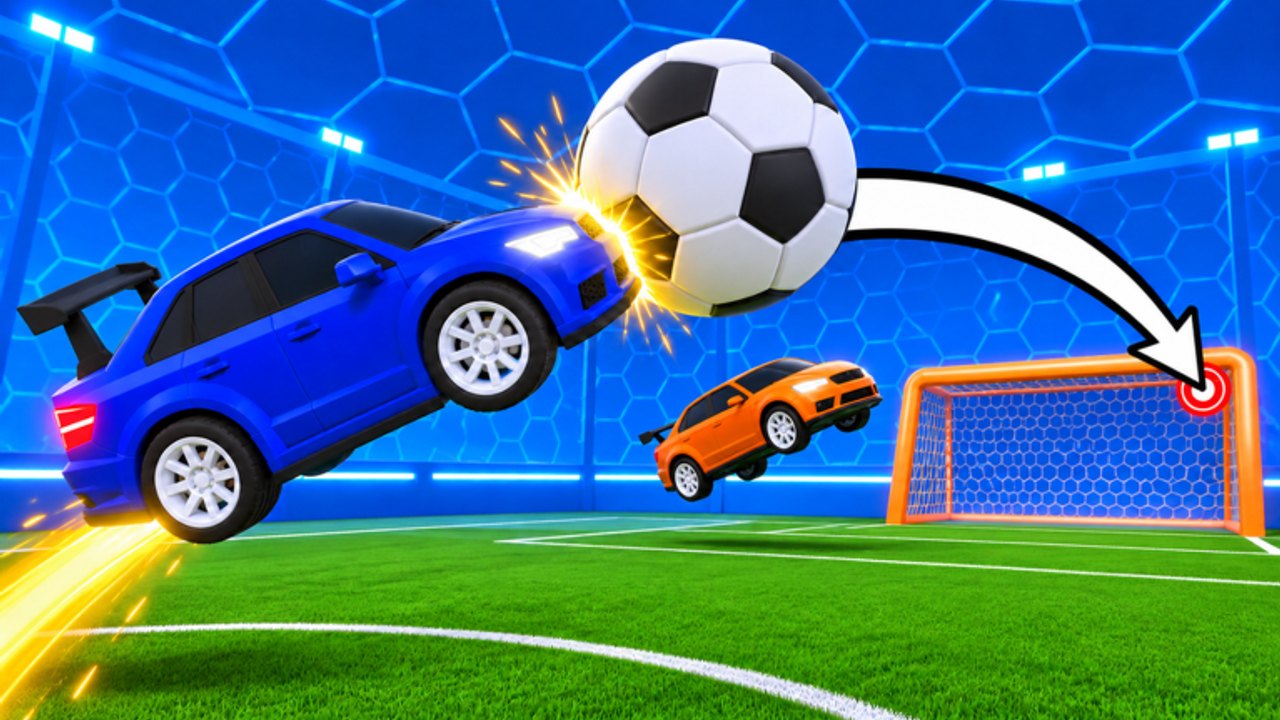
Turbo Soccer throws you into a rocket car the moment the Roblox experience loads. The tutorial covers throttle, boost, and jump, then drops you in a lobby full of Shop, Gift, Play, and Garage buttons. This page is the order that wastes the least time on day one: finish the intro, claim free cosmetics, learn the camera, take ten Free Play minutes, then play Casual before you touch ranked.
The game is free. It launched on 19 September 2026 under the Turbo Soccer group and is in Season 1. You do not need Robux to complete this guide. Spend Robux later, after you know which hitbox you like — prices sit on packs and shop.
Minute 0: launch and tutorial
Open the Turbo Soccer Roblox page and join. Complete the guided tutorial even if you have thousands of hours in other car-soccer games. Boost is hold left mouse on PC, jump is right mouse, and a second right-click plus a direction is a flip. Those binds are easy to mix up if you assume Space is jump. Confirm everything on the controls table after the tutorial.
Set your profile name when prompted. That name shows on leaderboards and in parties described on play with friends.
Claim the free Legendary pack
Before you queue, open the Gift icon on the main menu. The free Legendary pack asks for three community actions inside the client and on the group page:
- Like the experience.
- Favorite the experience.
- Join the official Turbo Soccer group.
- Return to Gift and press Claim Pack.
The documented reward set is the Siren horn (Epic), Ice Sun wheels (Legendary), and Birthday Cake hat (Legendary). Cosmetics only — they do not change physics. Equip what you like in the garage, then forget the hat exists during kickoffs.
Redeem codes the same day
Open codes and paste every listed string through Shop → More. The how to redeem page has the mobile path. Do this before you buy packs with Robux; TY100KLIKES and TYFOR200MIL already throw Epic packs at a new account.
Camera and settings that save games
Default camera sits too close for reading both nets. Open Settings and set the camera preset to Competitive or Far. Turn Ball Cam on (Space on PC). Ball Cam feels drunk for two games and then becomes the only way to track aerials. Sensitivity is personal; if the car turns like a boat, lower camera shake rather than steering speed first.
Graphics: drop shadows on a low-end laptop so you can still see the ball against a busy stadium skybox. Input lag from a crowded server matters more than bloom.
Ten-minute Free Play block
Press Play → Free Play. You earn XP just for driving and shooting here, so this is not wasted time.
- Two minutes of figure-eights with no boost.
- Five kickoffs: roll straight, first touch toward a corner, recover facing your net.
- Ten ground shots, five at each far post — details in how to score.
- Eight front-flip bumps on a bouncing ball. If you miss, read aerials and boost instead of jumping higher at random.
Stop when you can hit a rolling ball without flying into the wall behind it. That single habit wins more Bronze and Silver games than a flip reset clip.
First real match
Queue Casual 1v1 or Casual 2v2. Avoid ranked until you have a few Casual games where you did not own-goal. In 2v2, if your teammate boosts first, you are second man — stay between ball and net. Full rotation notes live in ranked climb even for Casual, because the habits transfer.
Kickoff: drive slightly off-center, collect a small pad if you are not first man, and do not spam jump. After a goal, take a breath during the replay instead of mashing skip into another double commit.
Cars, XP, and what to ignore
The starter body is enough. A new chassis appears around level 15 from profile XP, and packs can roll extra frames. Drive whatever you have through the ten-minute test on the cars ranking before you spend coins. Daily gifts in the Gift tab drop XP and packs; collect them every session.
Ignore demolition effects, ball skins, and horns until you can recover after a save. They do not change the ball. Minigames (Rings, Targets, volleyball, kart) are optional warm-ups, not a second career.
Friends and next steps
To play with a friend, use the party / private flow on play with friends. To keep up with Season 1, follow updates and the Discord. When Casual feels slow, queue ranked with one playlist only and leave after a tilt game.
You now have a pack, a camera, a Free Play routine, and a Casual plan. The rest of the wiki is optional depth — use it when a specific mechanic is the thing that just lost you a match.
Frequently Asked Questions
Quick answers to the most common Turbo Soccer questions.
Is Turbo Soccer free to play?
Yes. Joining on Roblox is free. Packs, coins, and cosmetics can be bought with Robux. Codes and the Gift pack cover a lot of early cosmetics.
Should I play ranked on day one?
No. Finish the tutorial, claim codes, do the Free Play block, then Casual. Open ranked climb when kickoffs feel repeatable.
What is the free Legendary pack?
Like, favorite, and join the Turbo Soccer group, then Claim Pack in Gift. Documented items: Siren horn, Ice Sun wheels, Birthday Cake hat.
Which mode is best for beginners?
Free Play for mechanics, Casual 1v1 to learn the ball, Casual 2v2 to learn a teammate. Minigames isolate aerials and shot placement.